Login to FastAct using the credentials provided. Ensure its under the correct sales person.
Once you’re logged in select the 3 bar on the left side of the menu and select ‘Account Management’
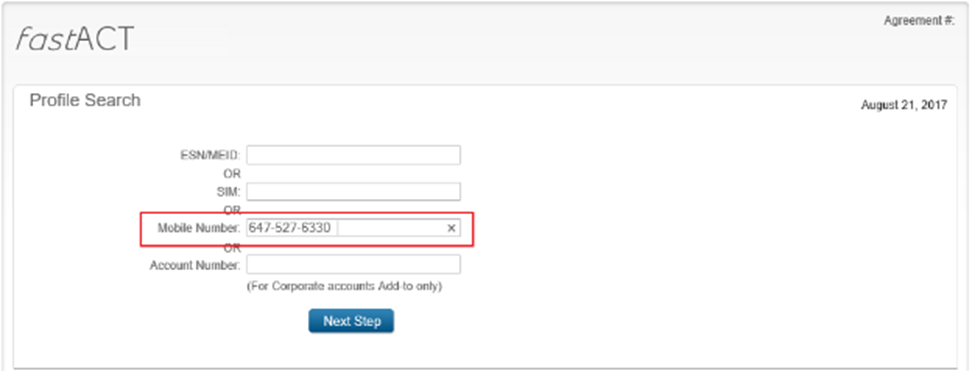
Before you proceed with the upgrade you will require the Mobile number. Enter the mobile number and click on ‘Next Step’
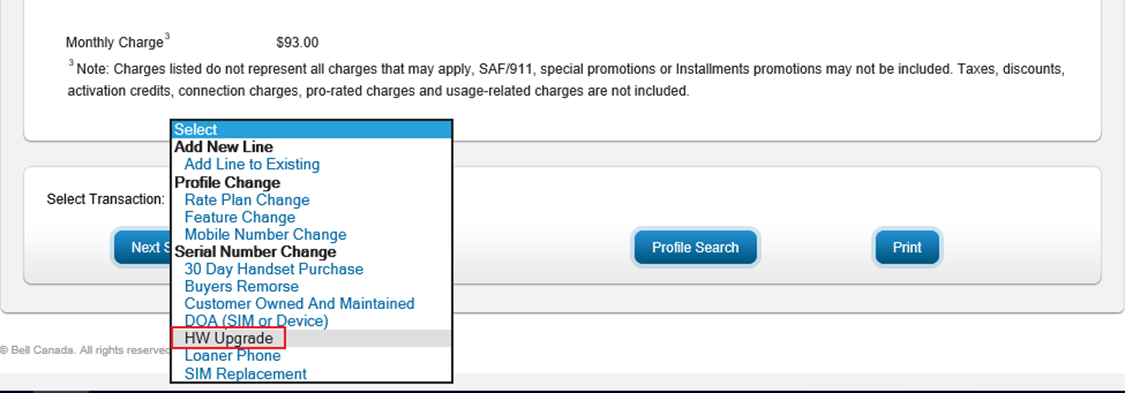
Once the client profile is loaded, scroll to the bottom and from the drop-down menu select ‘HW Upgrade’ and click ‘Next Step’
Please ensure the correct customer profile is loaded before proceeding to the next step.
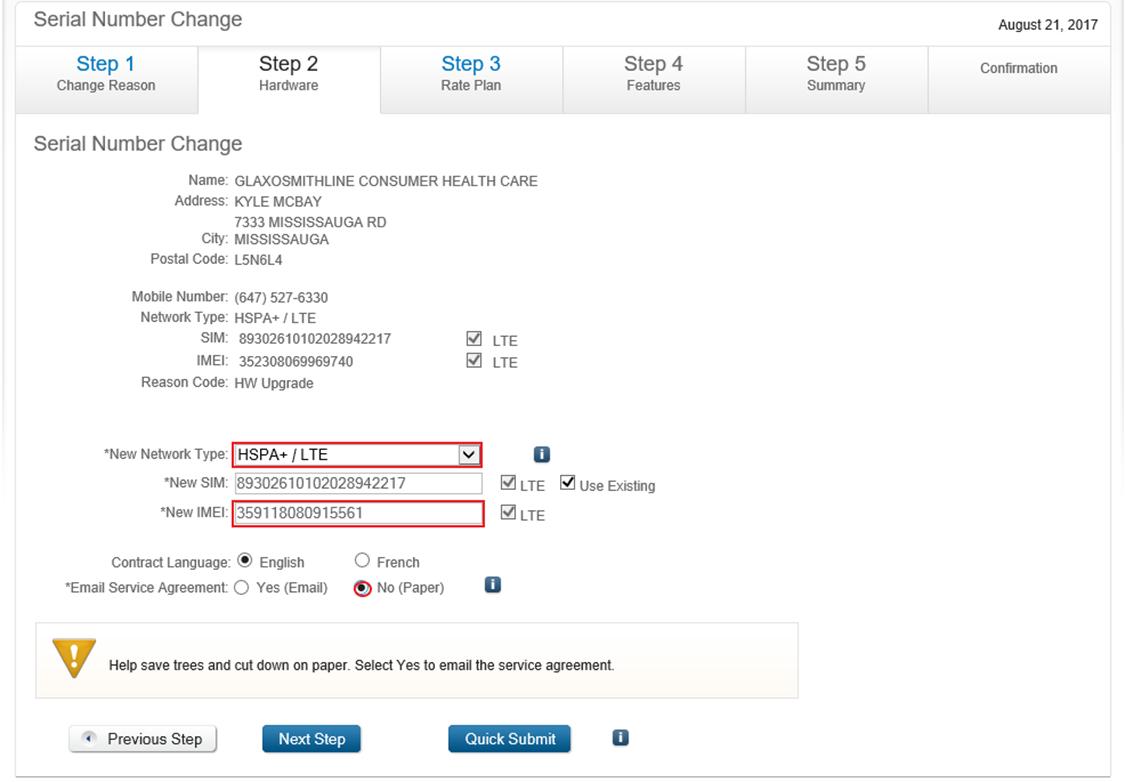
On the Hardware section, under ‘New Network Type’ select HSPA+/LTE. Enter the new IMEI# and check off Email Service Agreement as ‘No’, Since we will be manually saving the agreement later. If the client would like to activate the New SIM you can also enter the details under ‘New SIM’. By default, we usually leave the same sim card number so as to not cancel their current line.
Always use existing sim card number, unless otherwise advised by the client. Un-checking this option will disconnect the service of the current SIM card on the account.
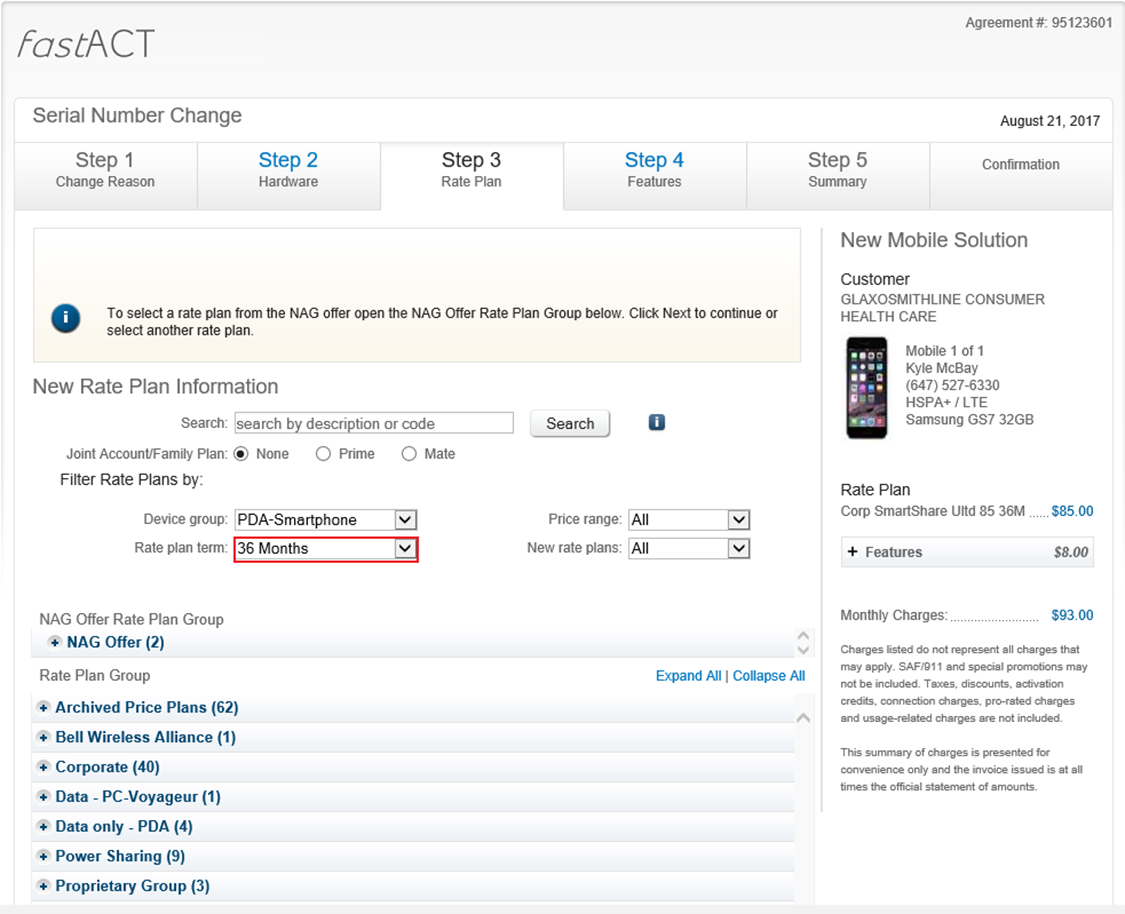
On the rate plan selection ensure the rate plan term is 36 months for corp-corp. If its a government account it will be on 24 months. If a rate plan change is required, it will be done on this page. Once completed click on ‘Next Step’.
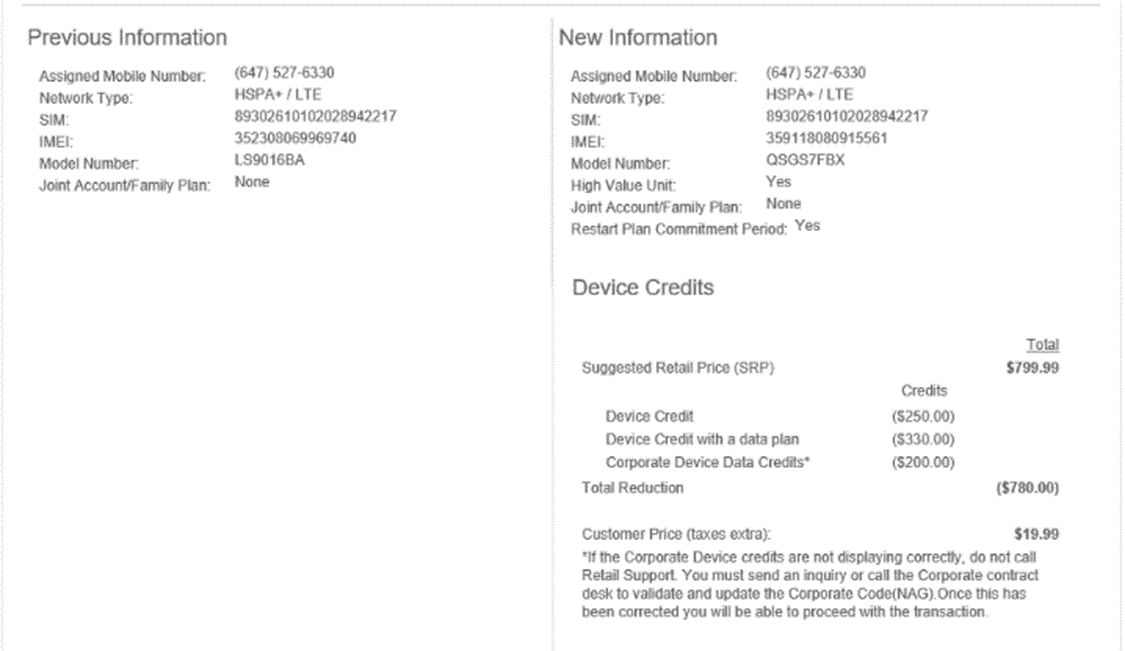
On the summary page verify the ISPR’s are correct.
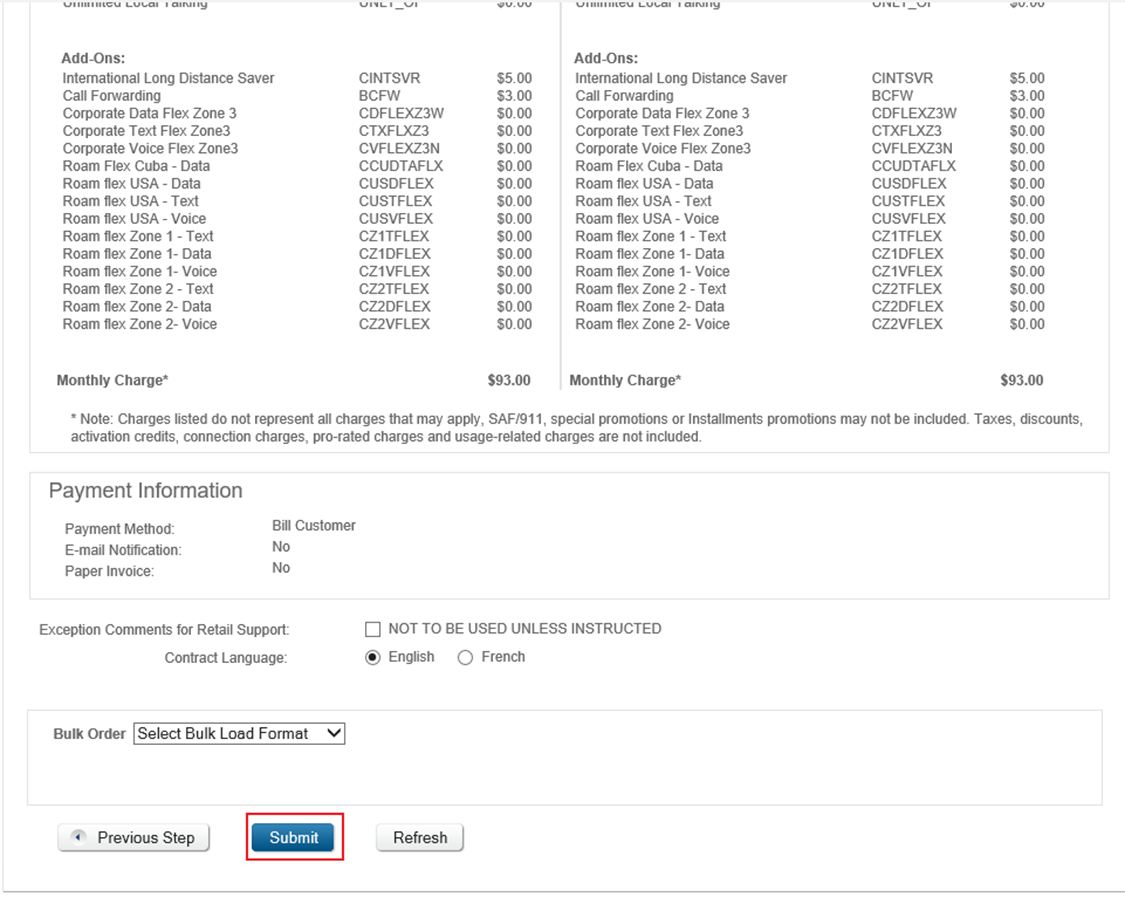
Once satisfied that everything is correct, click on Submit.
Save the agreement in common files.