
To setup a same day service visit KJV courier website first.
https://kjvcourier.com/
Login using the credentials provided.
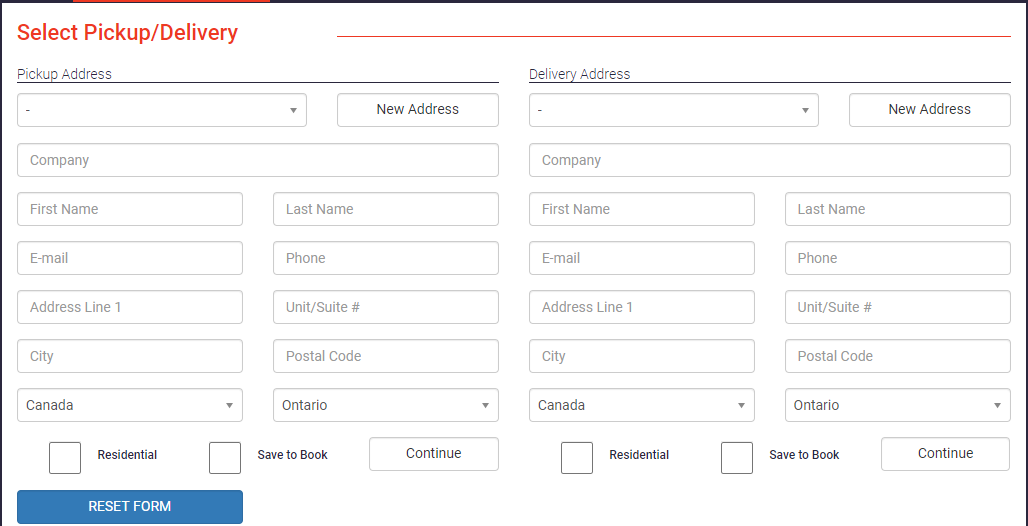
Once you login, you will be taken right into the order placing screen. You will need to fill out both the sections including the Pickup Address and Delivery Address.
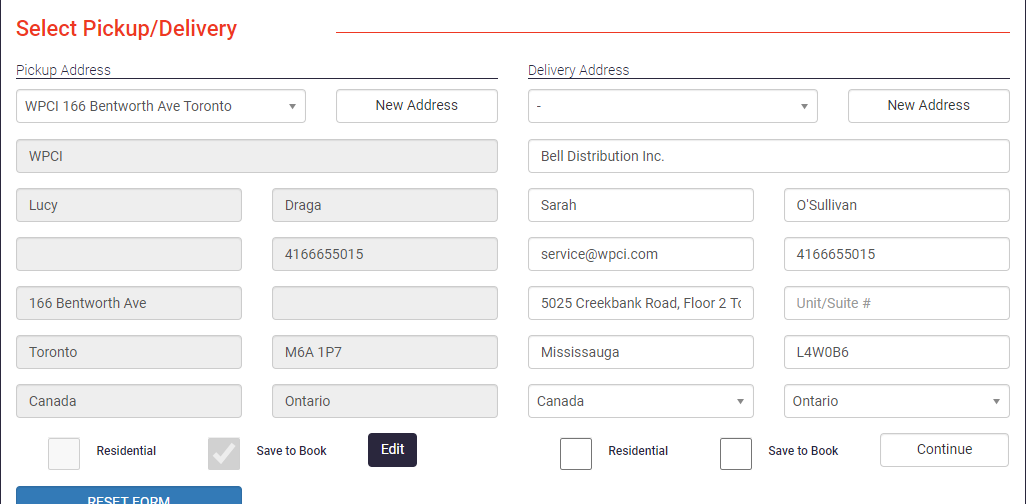
For the pickup address, you can select WPCI from the drop down list. For the delivery address you will need to enter all the information. Once everything has been filled out click on ‘Continue’.
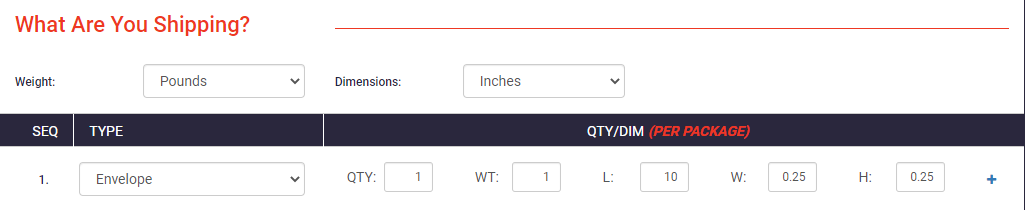
In the What Are you Shipping? section select the TYPE of package you will be using (Envelope, Box etc). For quantity enter 1 if its 1 package and for weight enter in pounds.
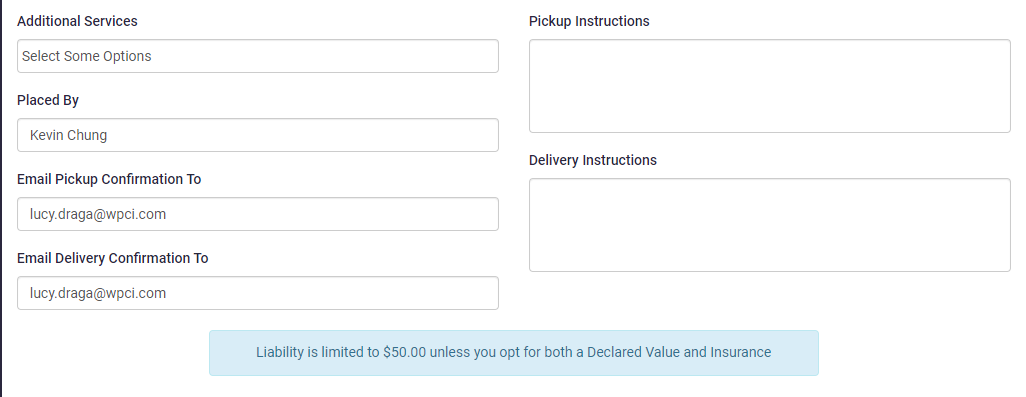
In the additional detail section, enter your name in the ‘Placed By’ section.You will also need to enter the email confirmation field both for Pickup and Delivery. An email notification is sent to these addresses both when the package is picked up and then delivered.
Under the Delivery Service option drop down and select the option that best suits the same day option or based on what is required. Note some options require us to have the order submitted by a certain time such as 10am or 12pm. There is also a same day door to door service and this is the fastest option.
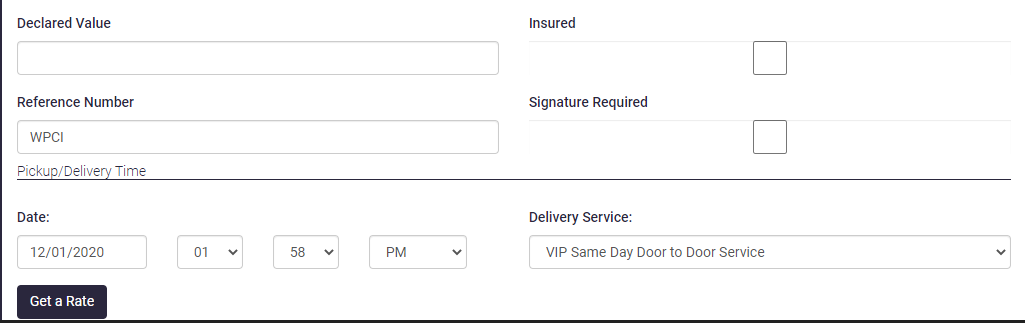
Once all the information has been entered. Click on ‘Get a Rate’. You will be presented with the charge to same day this package to the specified address. If you are satisfied with everything click on ‘Book Now’ to schedule the delivery. You will need to click on ‘Continue’ after to confirm the selection.
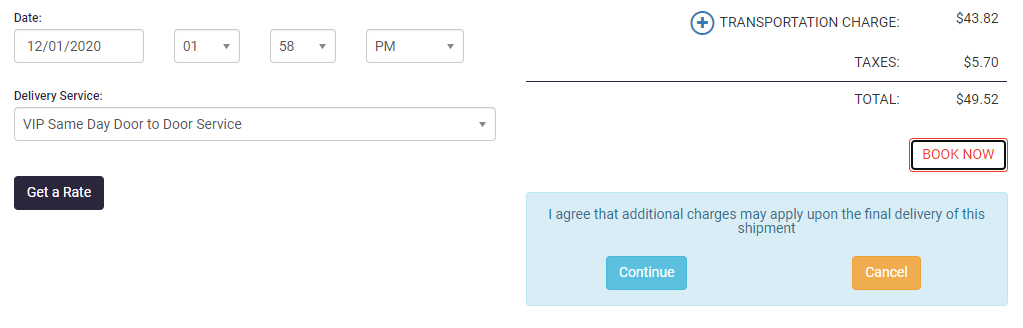
Once the confirmation has been made you will be presented with How would you like to pay screen. Click on ‘Bill Me Later’ 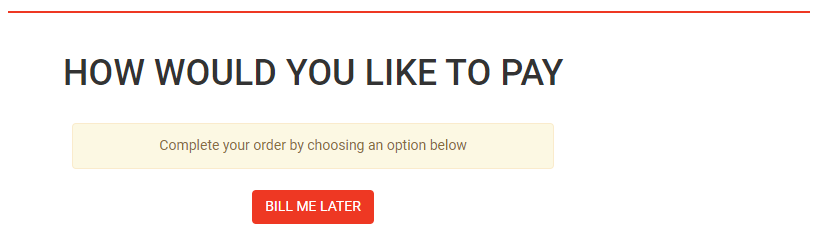
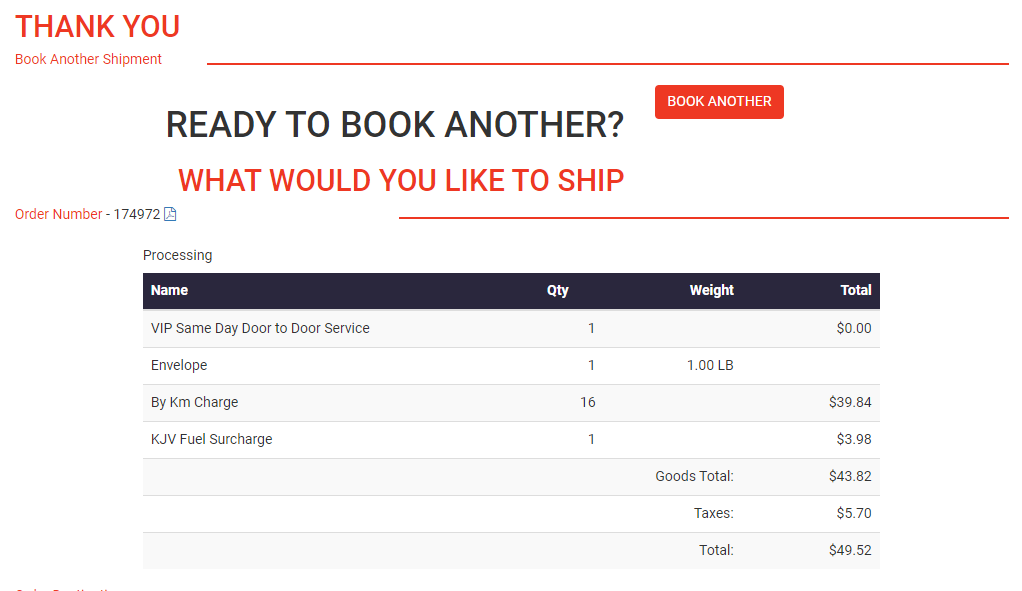
On the final page, next to the order number you will see a small PDF logo click on that to view the PDF file. Print 1 copy and affix to the package.
Once the KJV Courier arrives simply validate which location they are delivering to if you have multiple packages going to different addresses to ensure you give the correct package to the right driver.